
If you use the Slackware UK services on a regular basis, and would like to contribute to running costs, make a continuing patronage (and receive special benefits), or make a one off PayPal payment, please use one of the following buttons:

For regular monthly donations

For one time donations


JamesDSP for Linux
Open-source sound effects for PipeWire and PulseAudio



Features • Installation • Contributors • License
Linux port developed by @thepbone (Telegram)
JamesDSP was initially published as an audio effects processor
for Android devices and is written by James Fung (@james34602).
Feel free to join our Telegram group for support and updates
Features
- Automatic bass boost
- Frequency-detecting bass-boost. Automatically sets its own parameters, such as gain, bandwidth, and cut-off frequency, by analyzing the incoming audio stream
- Automatic dynamic range compressor
- A highly automated multiband dynamic range adjusting effect
- Complex reverberation IIR network (Progenitor 2)
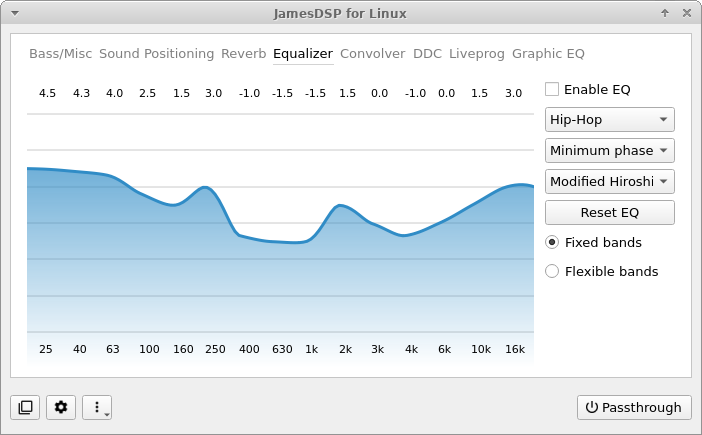
- Interpolated FIR equalizer with flexible bands
- Arbitrary response equalizer (also known as GraphicEQ from EqualizerAPO)
- AutoEQ database integration (requires network connection)
- Partitioned convolver (Auto segmenting convolution)
- Supports mono, stereo, full/true stereo (LL, LR, RL, RR) impulse response
- Crossfeed
- Realistic surround effects
- Soundstage wideness
- A multiband stereo wideness controller
- ViPER-DDC
- Perform parametric equalization on audio
- Create VDC input files using thepbone/DDCToolbox
- Analog modeling
- An aliasing-free even harmonic generator
- Output limiter
- Scripting engine: Live programmable DSP
- Write your own audio effects using the EEL2 scripting language
- Auto-generate a basic user interface for your script to modify specific parameters/constants without editing the actual code
- The scripting language has been extended using many DSP-related functions for easy access, for example, spectral processing, constant Q transform, multi-purpose FIR filter designer IIR sub-bands transformation, etc...
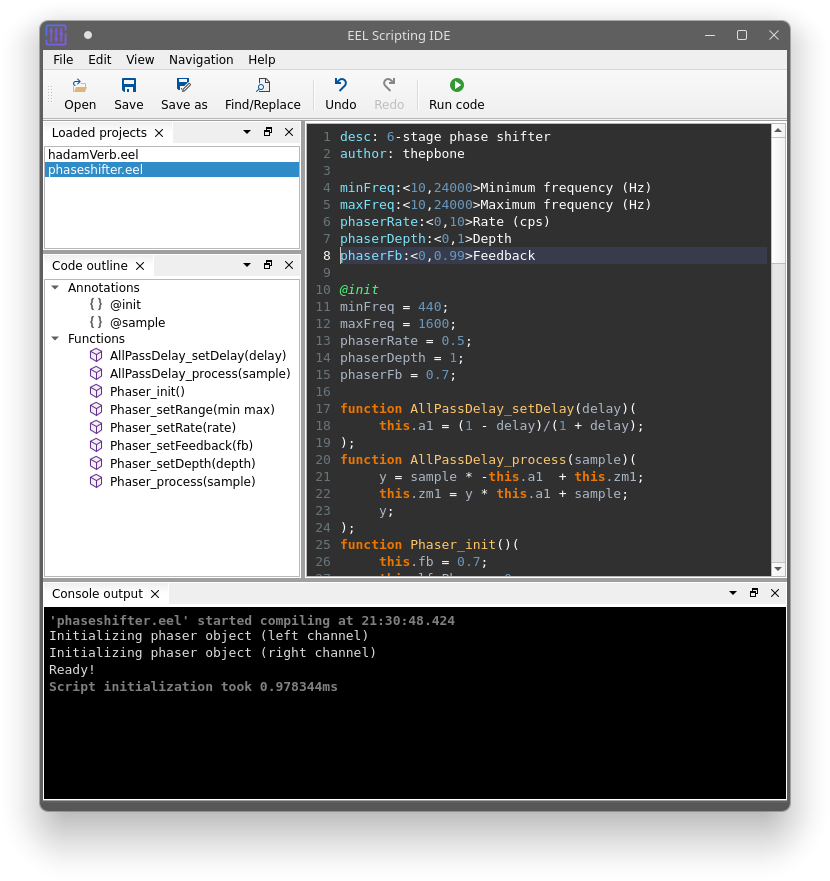
- This app also includes a custom minimal scripting IDE:
- Syntax highlighting
- Basic code completion
- Dynamic code outline window
- Console output support
- Detailed error messages with inline code highlighting
PipeWire vs PulseAudio
Designed for use with PipeWire. PulseAudio is only supported for backward compatibility.
PipeWire has a much lower latency compared to PulseAudio when injecting audio effects processors into the audio graph. Unfortunately, PipeWire is not yet completely stable and does not work correctly on virtual machines. If you cannot get any audio output when using PipeWire, consider switching to PulseAudio until proper hardware support is available.
I'm currently not planning to add more advanced support for Pulseaudio clients. Features such as selective app exclusion, changing the target audio device, and similar features will only be available to PipeWire clients.
Important: This application can be either compiled with PulseAudio or PipeWire support. Please make sure you choose the correct flavor for your Linux setup before installing!
Note: PipeWire's compatibility mode for PulseAudio apps does not work with the PulseAudio flavor of this app. Use the version for PipeWire instead.
Which one am I using?
Follow the instructions below if you don't know which one your Linux distribution is using. If you already know, skip to the 'Install dependencies' section.
Step 1: Is PipeWire installed and active?
Run pw-cli dump short core in your terminal.
Does the terminal output look similar to the pattern below after executing the command?
0: u="USER" h="HOSTNAME" v="0.3.35" n="pipewire-0"-
YES: You're using PipeWire. Skip ahead, and follow the instructions to install JamesDSP with PipeWire support.
-
NO: If the command
pw-cliis not found or it returned an error, you're probably not using PipeWire. Continue to step 2 to find out if PulseAudio is available on your system.
Step 2: Is PulseAudio installed and active?
Run LC_ALL=C pactl info | grep "Server Name:" in your terminal.
Does the terminal output look like this after executing the command?
Server Name: pulseaudio-
YES: You're using PulseAudio. Skip ahead, and follow the instructions to install JamesDSP with PulseAudio support.
-
NO: If the command
pactlis not found or it returned an error, either your PA installation is broken or you are using another audio framework like Jack. Consider switching to PipeWire in this case.
IMPORTANT: If the output mentions PipeWire (Server Name: PulseAudio (on PipeWire 0.3.35)), you are using PulseAudio via PipeWire's compatibility mode. You need to install JamesDSP with PipeWire support in this case!
Installation
Decide whether you need to install the PipeWire or PulseAudio version of this app!
If you don't know which version fits your Linux setup, go to the PipeWire vs PulseAudio section above.
Debian/Ubuntu
Minimum system requirements:
- Distro based on Debian 11 or later OR
- Distro based on Ubuntu 20.04 or later
Add PPA Repo
sudo apt install -y curl
curl -s --compressed "https://thepbone.github.io/PPA-Repository/KEY.gpg" | sudo apt-key add -
sudo curl -s --compressed -o /etc/apt/sources.list.d/thepbone_ppa.list "https://thepbone.github.io/PPA-Repository/thepbone_ppa.list"
sudo apt update
Install from PPA
For PipeWire clients only:
sudo apt install jamesdsp-pipewireFor PulseAudio clients only:
sudo apt install jamesdsp-pulseArch
AUR packages are available:
For PipeWire clients only:
-
Stable version
yay -S jamesdsp -
Development version
yay -S jamesdsp-git








For PulseAudio clients only:
-
Stable version
yay -S jamesdsp-pulse -
Development version
yay -S jamesdsp-pulse-git


Fedora/openSUSE
Package maintained by @theAeon on Fedora COPR. Built for Fedora 34/35/Rawhide and OpenSUSE Tumbleweed.
For PipeWire clients only:
yum copr enable arrobbins/JDSP4Linux && yum update && yum install jamesdspIf you are still using PulseAudio with your Fedora/openSUSE installation, refer to the 'Build from sources' section below instead.
Build from sources
Install dependencies
NOTE: Only execute the line that applies to your system configuration. If your distro is not included here, you need to research which packages to install by yourself.
Debian/Ubuntu-based distros
Debian/Ubuntu + PipeWire clients only:
sudo apt install build-essential libarchive-dev qtbase5-private-dev qtbase5-dev libqt5svg5-dev libglibmm-2.4-dev libglib2.0-dev libpipewire-0.3-dev NOTE: Pipewire version 0.3 or later required. Unfortunately, this version is only in the official Ubuntu repository for Ubuntu 20.10 or later. If you use Ubuntu 20.04 or earlier, you need to compile this dependency yourself or use PulseAudio instead.
Debian/Ubuntu + PulseAudio clients only:
sudo apt install build-essential libarchive-dev qtbase5-private-dev qtbase5-dev libqt5svg5-dev libglibmm-2.4-dev libglib2.0-dev libpulse-dev libgstreamer1.0-dev libgstreamer-plugins-good1.0-devFedora
Fedora 34 + PipeWire clients only:
sudo dnf install libarchive-devel qt5-qtbase-devel qt5-qtbase-private-devel qt5-qtsvg-devel glibmm24-devel glib2-devel pipewire-develFedora 34 + PulseAudio clients only:
sudo dnf install libarchive-devel qt5-qtbase-devel qt5-qtbase-private-devel qt5-qtsvg-devel glibmm24-devel glib2-devel pulseaudio-libs-devel gstreamer1-devel gstreamer1-plugins-good-devel Arch Linux
Arch Linux + PipeWire clients only:
sudo pacman -S libarchive qt5-base qt5-svg glib2 glibmm pipewireArch Linux + PulseAudio clients only:
sudo pacman -S libarchive qt5-base qt5-svg glib2 glibmm libpulse gst-plugins-good gstreamer Build application
Clone git repositories and submodules:
git clone --recursive https://github.com/Audio4Linux/JDSP4LinuxPrepare build environment
cd JDSP4Linux
mkdir build
cd build
Compile application - PipeWire clients only:
qmake ../JDSP4Linux.pro
make
Compile application - PulseAudio clients only:
qmake ../JDSP4Linux.pro "CONFIG += USE_PULSEAUDIO"
make
Execute compiled binary
./src/jamesdspOptional: Manual installation + menu entry
Copy binary to /usr/local/bin and set permissions
sudo cp src/jamesdsp /usr/local/bin
sudo chmod 755 /usr/local/bin/jamesdsp
Create a menu entry
sudo cat <<EOT >> /usr/share/applications/jamesdsp.desktop
[Desktop Entry]
Name=JamesDSP
GenericName=Audio effect processor
Comment=JamesDSP for Linux
Keywords=equalizer;audio;effect
Categories=AudioVideo;Audio;
Exec=jamesdsp
Icon=/usr/share/pixmaps/jamesdsp.png
StartupNotify=false
Terminal=false
Type=Application
EOT
Download icon
sudo wget -O /usr/share/pixmaps/jamesdsp.png https://raw.githubusercontent.com/Audio4Linux/JDSP4Linux-GUI/master/resources/icons/icon.png -q --show-progressScreenshots
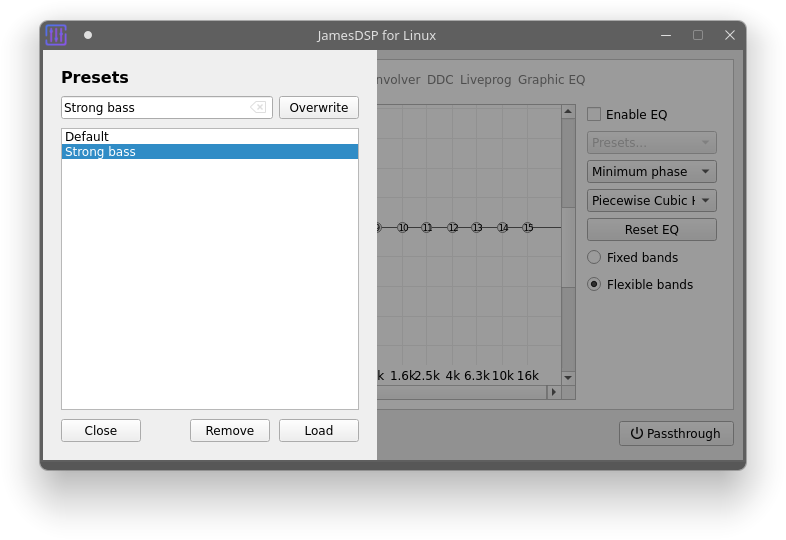
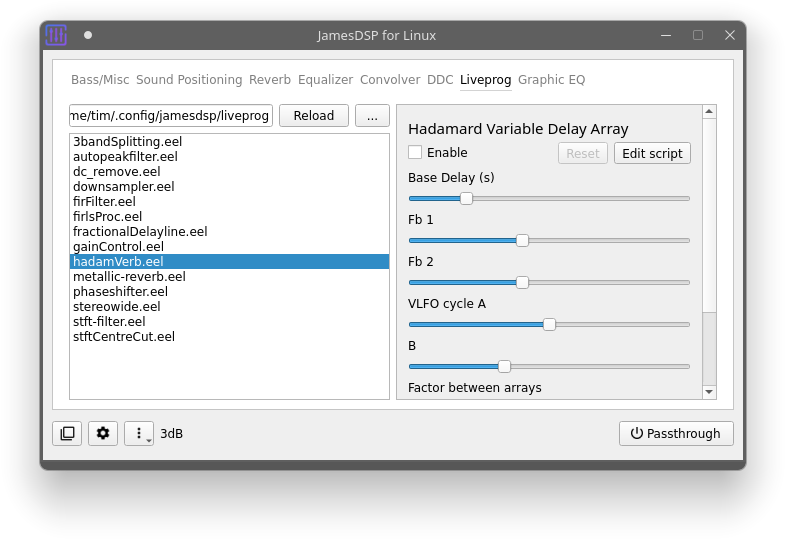
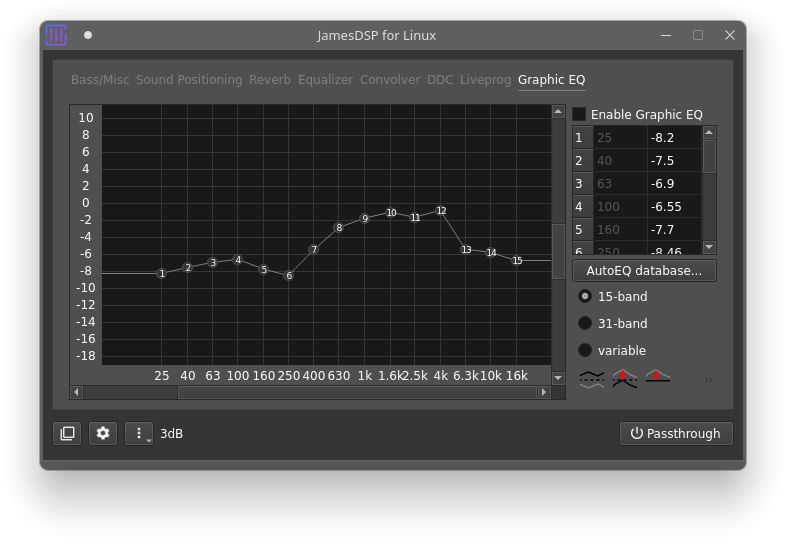
Contributors
- James Fung - Developer of the core library 'libjamesdsp'
- yochananmarqos - AUR packages
- theAeon - RPM packages
Other credits
- PipeWire implementation based on EasyEffects
License
This project is licensed under GPLv3.
THE SOFTWARE IS PROVIDED "AS IS", WITHOUT WARRANTY OF ANY KIND, EXPRESS OR IMPLIED,
INCLUDING BUT NOT LIMITED TO THE WARRANTIES OF MERCHANTABILITY, FITNESS FOR A PARTICULAR PURPOSE AND NONINFRINGEMENT.
IN NO EVENT SHALL THE AUTHORS OR COPYRIGHT HOLDERS BE LIABLE FOR ANY CLAIM, DAMAGES OR OTHER LIABILITY,
WHETHER IN AN ACTION OF CONTRACT, TORT OR OTHERWISE, ARISING FROM, OUT OF OR IN CONNECTION WITH THE SOFTWARE OR
THE USE OR OTHER DEALINGS IN THE SOFTWARE.
Name Last modified Size Description
Parent Directory -
JDSP4Linux.SlackBuild 2024-01-13 00:18 3.5K
JDSP4Linux.info 2026-10-03 02:54 455
README 2026-05-23 11:52 120
README.md 2022-04-23 19:52 13K
icon.png 2024-01-13 00:18 30K

0
 10 Gbit/s
 , naturally.